AI Agents That Work Your Support Queue (And Let You Review Everything)

Most support automation asks you to make a bad trade: hand the keys to an AI and hope it doesn't email a customer something wrong, or do everything yourself. Helmdesk's AI Agents refuse that trade. They do the busywork — drafting replies, closing dead tickets, spotting documentation gaps — and then hand each action back to you to approve. Nothing reaches a customer, gets published, or is permanently changed without your say-so.
That one design decision — propose, then approve — is what makes agents safe to leave on.
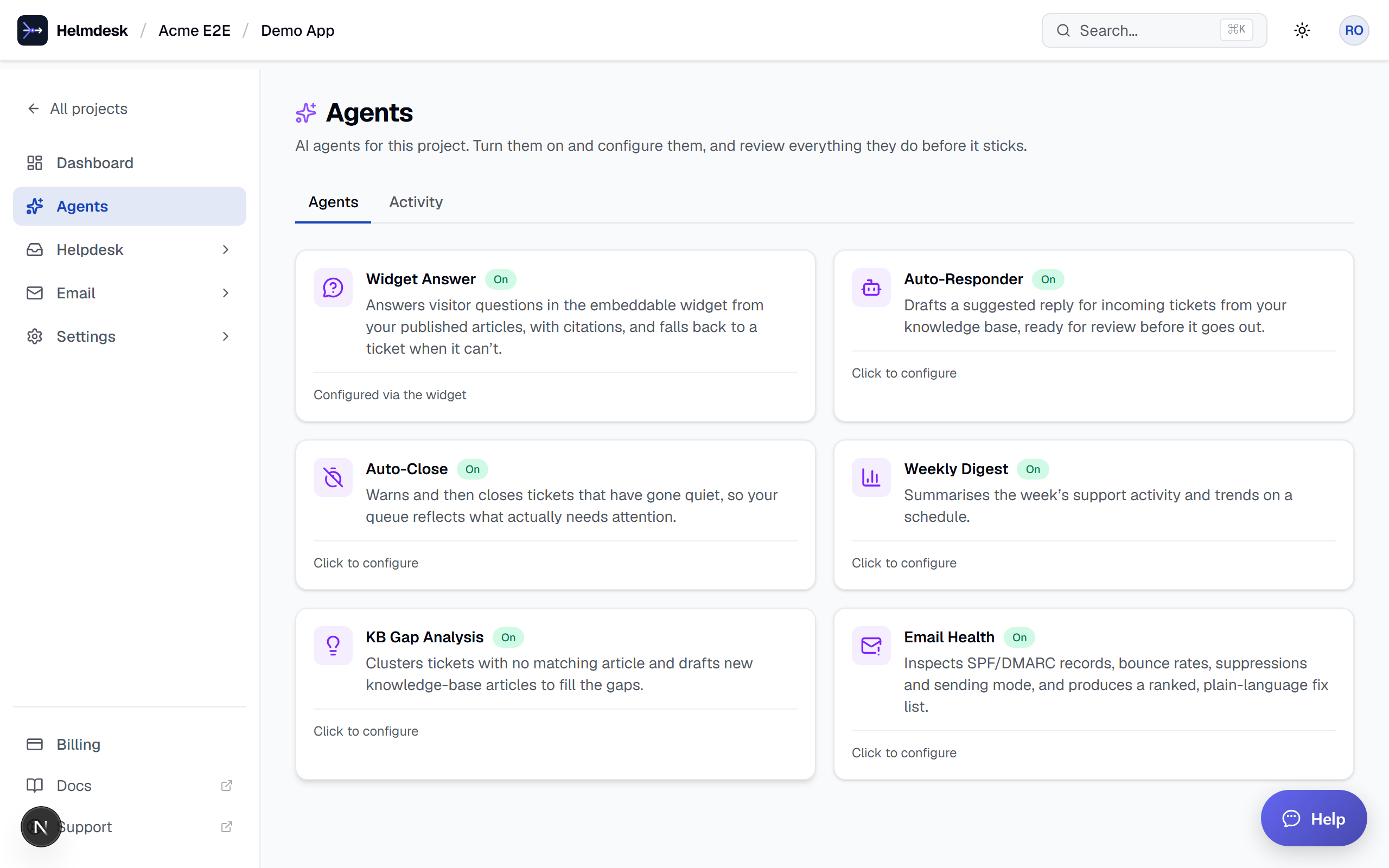
Six agents, one job each
Each agent does one thing well, and you turn them on per project:
- Auto-Responder reads every new ticket, searches your published knowledge base, and drafts a grounded reply. If your docs can't answer, it flags the ticket for a human instead of guessing.
- Auto-Close closes tickets that have gone quiet for X days so your open queue reflects real, active work. Every close is one click away from being reopened.
- KB Gap Analysis clusters the questions customers keep asking that no article answers — and drafts the missing article for you.
- Email Health inspects your SPF/DMARC records, bounce rates, and suppressions, then hands you a ranked, plain-language list of what to fix first.
- Weekly Digest emails your team a summary of the week's support activity on a schedule.
- Widget Answer answers visitors right inside your embeddable widget, from your articles, with citations.
The review queue is where the magic — and the safety — lives
Because agents run in propose mode, the Activity queue is where their work actually takes effect. Pending actions show Approve and Revert buttons. Approving a drafted reply posts it and emails the customer. Reverting an auto-closed ticket reopens it to its previous status. Approving a drafted article publishes it.
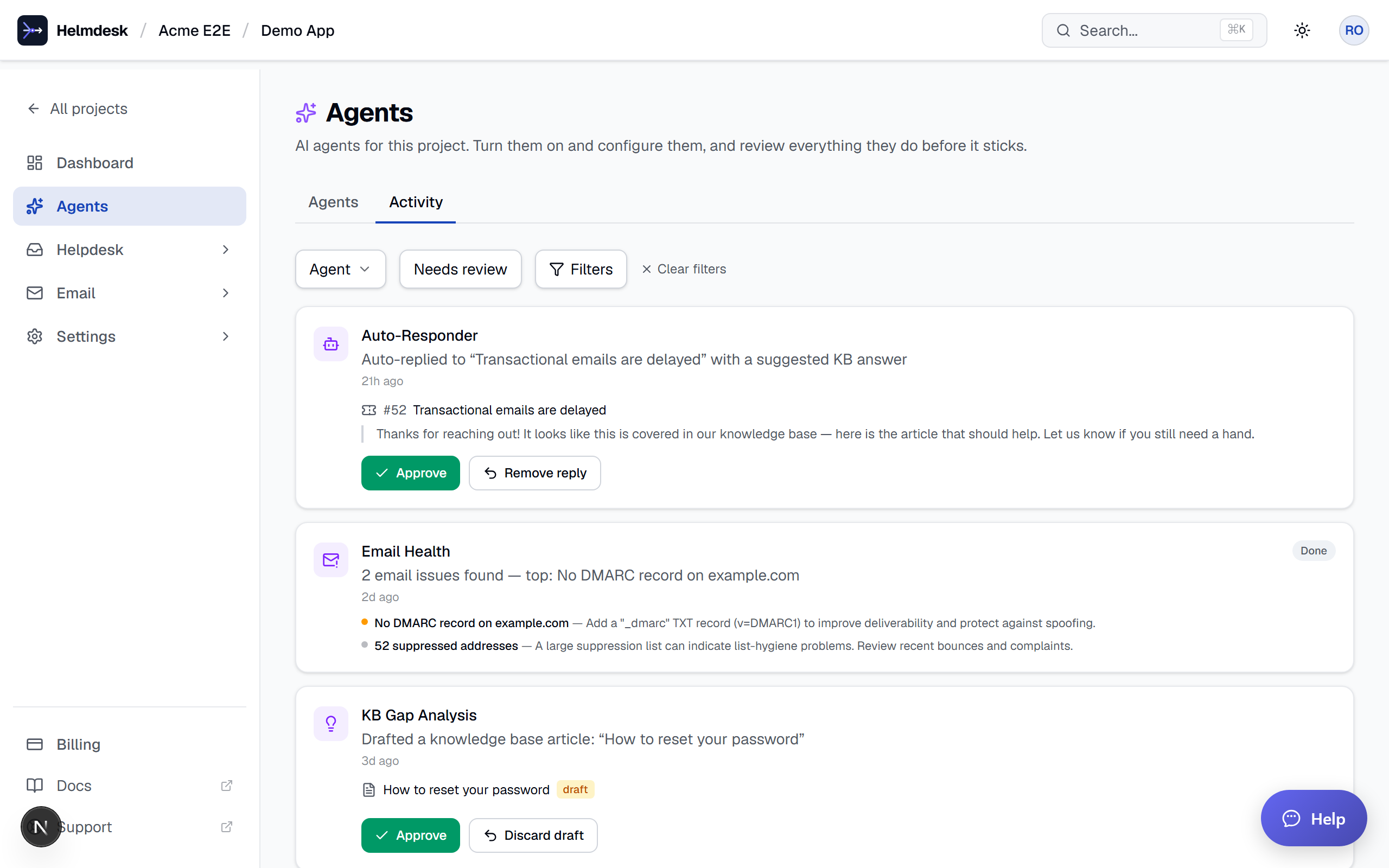
Every entry links straight to the ticket or article it concerns, so you can check the details before you decide. You get the speed of automation with none of the "wait, what did it just send?" anxiety.
Your widget, answering for you
Drop one line into your site:
<script src="https://helmdesk.dev/widget.js" data-project="your-project-slug"></script>
Now visitors can ask questions and get answers drawn from your published articles — with citations so they can read more. When the agent can't answer confidently, it shows related articles and offers to open a ticket. It never invents an answer, and it never silently submits a ticket behind the visitor's back.
The widget picks up your project's brand color automatically, so it looks like part of your product, not a bolted-on chat box.
It all compounds through your knowledge base
Here's the part that makes agents get better over time. The Auto-Responder and the Widget Answer agent both answer from your published articles using semantic search — matching on meaning, not just keywords. So when KB Gap Analysis drafts a new article and you approve it, three things improve at once: your public knowledge base, your widget answers, and your auto-drafted replies.
Write one good article, and every agent that touches it gets sharper. That's a flywheel, not a feature.
Turning them on
AI Agents are included in every paid plan — no per-resolution fees, no per-agent surcharges. Open a project, go to Agents, flip on the ones you want, and review their work whenever it suits you.
Put your support queue on autopilot — with a seatbelt
Turn on AI agents that draft, close, and answer for you, and approve everything before it ships. Free to start.