A Prompt Cheatsheet for Transactional Email
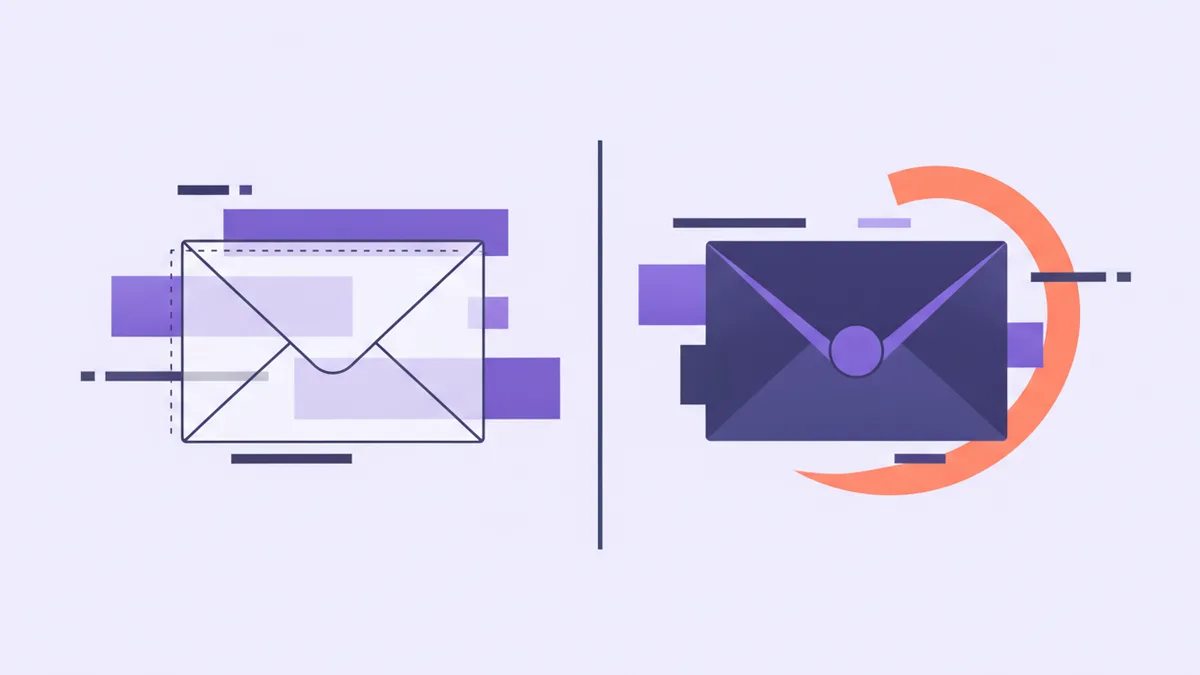
Transactional email has an asymmetry at the centre of it that most tooling ignores. Rendering a template costs nothing: you can do it fifty times, look at every one, throw them all away. Sending costs a person's attention, exactly once, and no amount of regret gets it back.
So the entire discipline of driving email from an agent fits in one sentence. Put a render between you and a send.
That sounds obvious until you notice how rarely it happens. The usual sequence is: write the template, send it to yourself, decide it looks fine, ship it. Then the variable you tested with your own name renders empty for the customer whose profile has no first name — or the batch goes to the wrong tag — or, the quiet one, it all works and you never look at the log again, so a hard bounce becomes a silence you read as success.
Here is a cheatsheet for the four moves that matter: finding out what exists, previewing, sending, and the part almost nobody does — finding out what arrived. Tool names are Helmdesk's MCP server; the shape applies to any agent that can email your customers.
Find out what exists and what it takes
- "What templates can Ledgerly send, and what variables does the welcome one take?"
list_email_templatesreturns the project's own templates and the account-wide shared ones, with the subject and the variables each body references;get_template_schemanarrows that to one. Ask this before anything else — every time. - "Write an invoice-overdue reminder from this copy, then show me how it renders."
import_email_templatecreates it from Handlebars source. Importing against a key that already exists creates a new version rather than overwriting the old one — safe to iterate on. - "Which of these are shared across the account and which belong to this project?" Worth knowing before you edit one, because a shared template is one you are changing for every app you run.
The reason discovery comes first is unglamorous: variable names are the single most common failure in transactional email, and they fail silently. Handlebars answers an unknown path with an empty string, not an error. Hi {{first_name}} against a payload carrying firstName renders as Hi , and sends perfectly happily. No exception, no bounce, nothing in any log. The only place that bug is visible is a render.
Preview costs nothing
preview_email and preview_custom_email render with the real layout, the real partials and the real project branding, and then do nothing else. Nothing is sent. Nothing is stored. Nothing appears in the email log. They are free, and they are the only two tools in this post that are.
- "Show me the welcome email for a customer called Priya with no company set, as HTML and as text." The empty-value render is the one worth looking at — your own name is a bad test case, because it fills every field.
- "Render the receipt using the variables from the last one we actually sent."
get_email_sendreturns the variables a send was rendered with, so you can preview against a real historical payload instead of a fixture you invented. - "Draft a one-off note to jane@example.com about the outage and show it to me before anything goes."
preview_custom_emailwraps a subject and a Markdown body in the project layout — the same thingsend_custom_emailwill do, minus the sending.
The mechanical reason this works is that a preview takes the same arguments as the send:
{
  "template": "welcome",
  "to": "priya@example.com",
  "variables": { "firstName": "Priya", "plan": "Growth", "trialEndsAt": "2026-10-28" }
}
Hand that to the preview and you see what arrives. Hand the identical object to the send and it arrives. The only thing that changes is the verb — which makes a preview a genuine dry run of one specific call rather than a rough impression of it.
Sending
Four tools in this post reach a real person and cannot be recalled: send_email, send_email_batch, send_custom_email and resend_email. Everything else here reads, renders or configures.
- "Good — send it." After a preview, this is the whole prompt. Keeping the send in its own turn is what makes the preview mean anything; a preview inside the same sentence as the send is decoration.
- "Send the maintenance notice to everyone tagged plan:growth. Show me the recipient list and one rendered example first."
send_email_batchtakes up to 100 recipients in one request, each with its own template and variables. Note what the prompt asks to see: the list. A batch almost never fails on the copy — it fails on the audience, and the audience is the part you cannot inspect after the fact. - "Schedule the renewal reminder for 9am on Tuesday." A scheduled send sits in the log in status scheduled until it goes.
- "Cancel the reminder scheduled for tomorrow morning."
cancel_scheduled_emailpulls it before it sends. If it already went out you get a 409 rather than a tool politely pretending to recall it, which is the correct behaviour and worth trusting.
Two prompts to avoid. Email everyone who has not logged in this month defines an audience by a query nobody has looked at and then acts on it in the same breath — split it, look at the count, then send. And send the welcome email to the new signups leaves both the template version and the variables to be guessed at, which is how a hundred people receive Hi , simultaneously.
Find out what arrived
This is the section people skip, and it is the one that turns email from a hopeful act into an observable one.
- "Did the receipt to jane@example.com actually arrive?"
list_email_sendsfinds it andget_email_sendopens it: the full event timeline — queued, sent, delivered, opened, bounced, complained — plus the variables it rendered with and, if it never left, why it was blocked. - "How did email do this week? Anything bouncing?" The delivery log with a status per send, alongside
list_suppressions— the addresses this project will no longer email, each with the reason it was suppressed. - "It bounced on a typo and she is suppressed now. Fix the address and send it again."
remove_suppressionlets mail flow, thenresend_emailsends that same email to its original recipient. Be clear-eyed: that is a second real email to a real person, not a retry in the background. - "Stop emailing this address."
add_suppressionis the tool for the customer who asked to be left alone — a better answer than remembering not to include them.
A suppression list is not a failure state, incidentally. It is the mechanism that keeps one bad address from dragging your domain reputation down and taking every other customer's receipts with it. Reading it weekly costs thirty seconds — and it is the earliest warning you get that something in the pipeline is wrong.
Where this all falls down: none of it tells you whether the email was worth sending. The log will happily confirm that your fourth reminder in nine days was delivered and opened. Deliverability data measures whether the machinery worked, not whether you should have pulled the lever — and no amount of tooling will make that judgement for you.
The bottom line
Three habits, and they are all versions of the same one:
- Preview with the values you will actually pass, including the customer whose optional fields are empty.
- For batches, review the audience rather than the copy. The copy is one render you have already seen. The audience is the thing you cannot check afterwards.
- Read the log after you send. A send that nobody checks is not a message, it is a hope.
Previewing is free and you can do it fifty times. Sending happens once, to a real person, and the log is the only place you find out how it went. Put a render between the two and almost everything that goes wrong with transactional email stops going wrong.
Transactional email you can render before you send
Templates on your own SMTP, previews that store nothing, a delivery log with the full event timeline, and suppressions handled for you.