MCP helpdesk for Claude Code, Codex and Cursor The agent that built your app can run its support.
Helmdesk is a helpdesk with an MCP server: 73 tools over tickets, customers, transactional email, the knowledge base, feedback and error logs. Your agent reads the queue, drafts the replies and writes the docs. Nothing reaches a customer until you say so.
Through Nov 30: 30% off Starter or Growth for 3 months with code SHIP30 at checkout.
- You: Anything waiting for me on Ledgerly this morning?
- get_project_overview(project: "ledgerly")38 open · 7 awaiting a reply · 2 open errors
- list_agent_activity(project: "ledgerly")Auto-Responder drafted a reply to #69 "Client says the payment link is expired"
- list_tickets(project: "ledgerly", awaitingReply: true)#73 "Can I send recurring invoices?" · Priya Raman · 18m
- search_articles(project: "ledgerly", query: "recurring invoices")No published article covers it
- Agent: Two things. A drafted reply to #69 is waiting for your approval; it cites "Why is a payment link expired?". And #73 asks about recurring invoices, which the knowledge base does not cover. Want me to send the #69 draft and write an article for #73?
- You: Send the draft. Write the article, but leave it as a draft.
- approve_agent_item(logId: "…")Reply posted to #69 and emailed to Rafael Costa
- create_article(project: "ledgerly", title: "Send recurring invoices", status: "draft")Draft saved. Not on the help centre until you publish it.
What your agent can reach
73 tools. The whole desk, not just the inbox.
Tickets are one part of support. The same server reaches the customer directory, the email log, the knowledge base, feedback and the errors your app ships, for every project on the account.
Tickets
- list_tickets
- get_ticket
- reply_to_ticket
- add_ticket_note
Customers
- get_customer
- list_customers
- set_customer_tags
Email
- send_email
- list_email_sends
- list_suppressions
Knowledge base
- search_articles
- create_article
- update_article
Feedback
- request_feedback
- list_feedback_conversations
Errors
- list_log_issues
- query_logs
- set_log_issue_status
Projects
- create_project
- get_project
- create_api_key
Review queue
- list_agent_activity
- approve_agent_item
- revert_agent_item
Guardrails
It drafts. You approve.
An agent with access to your customers needs limits it cannot talk its way around. These are enforced by the server and the key, not by the prompt.
Drafts wait for you
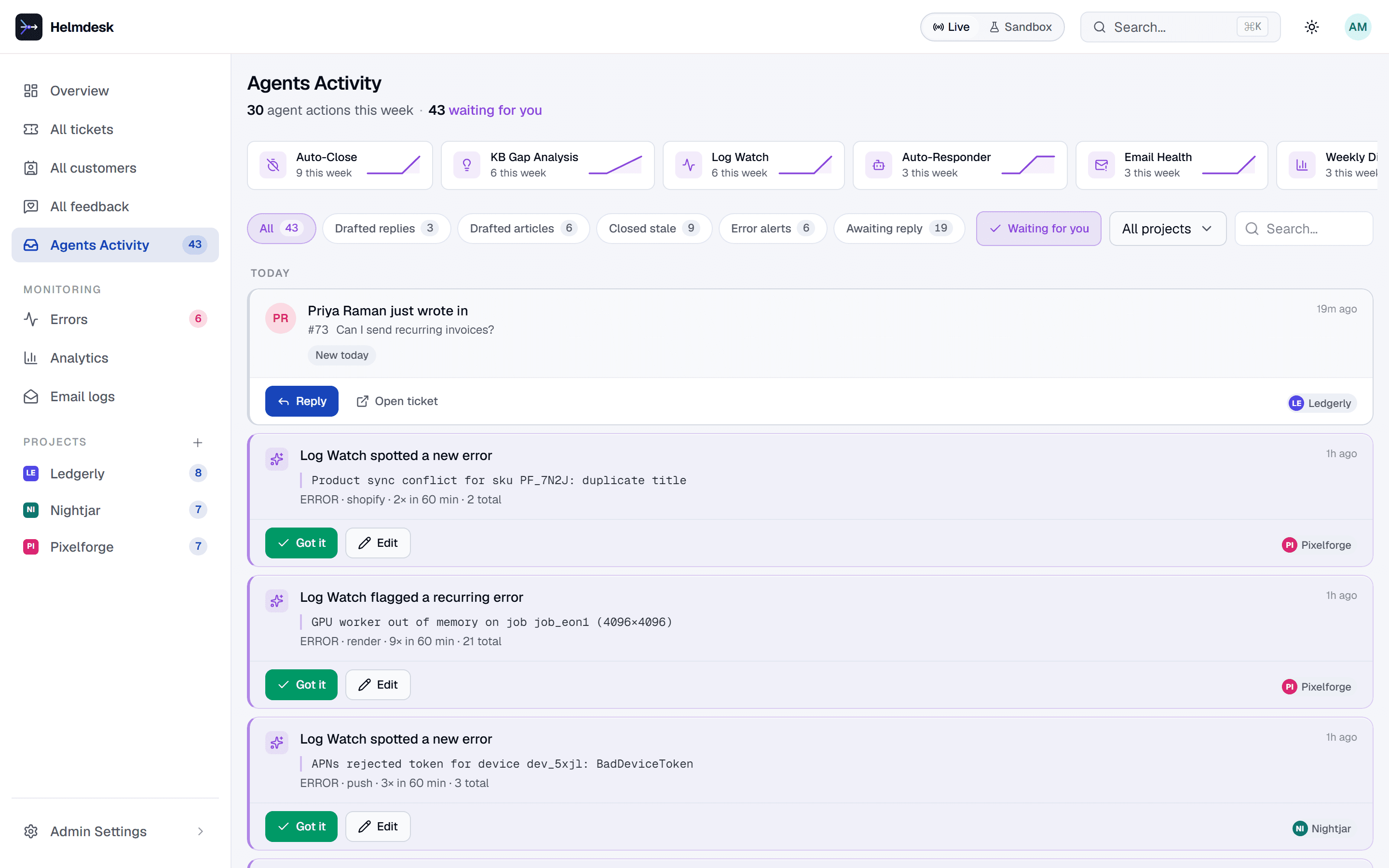
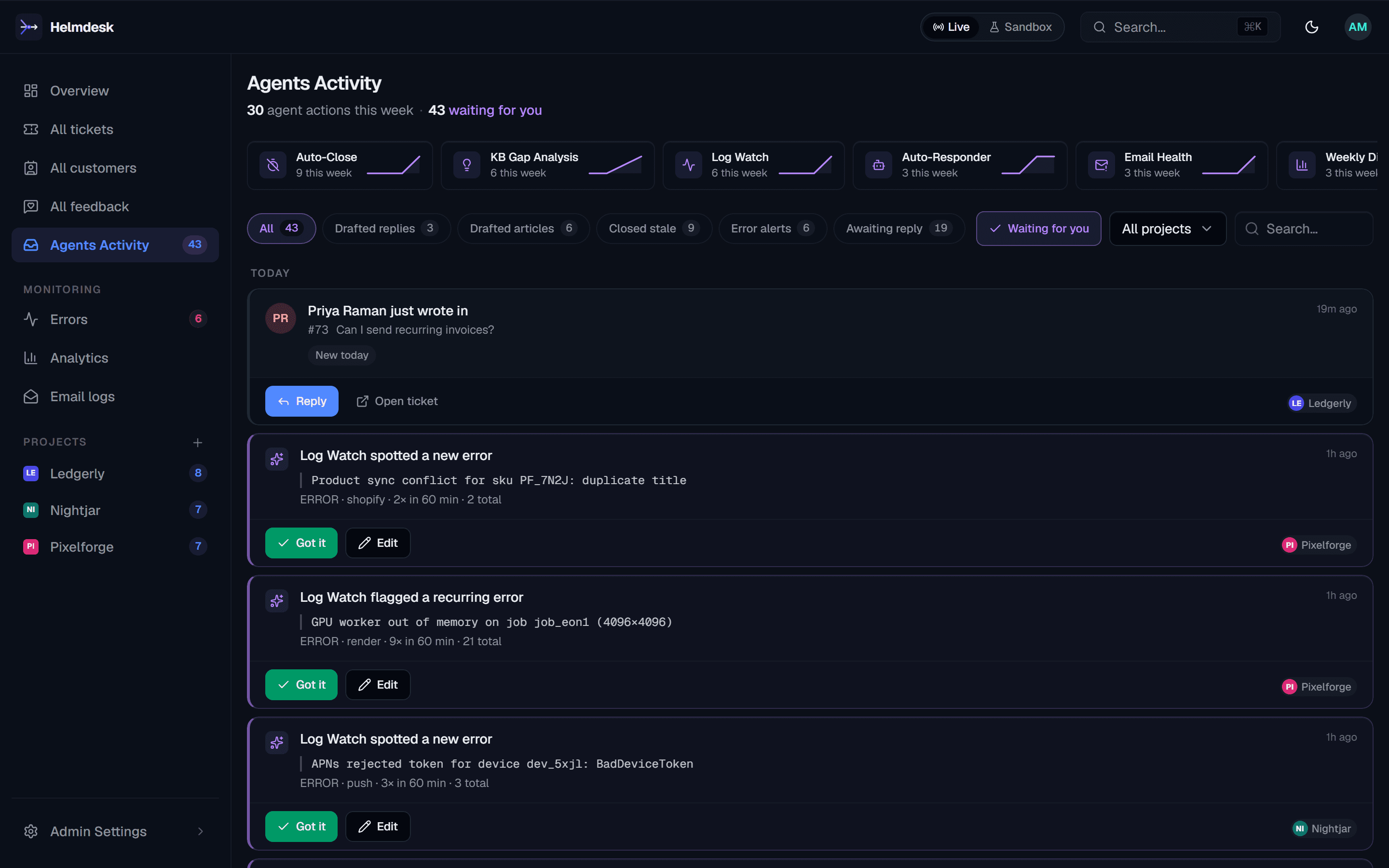
The built-in Auto-Responder only proposes. Its drafted replies and articles sit in Agents Activity until you approve them, and approving is what sends.
Every tool says what it does
28 tools are marked read-only, so your client can let lookups run without asking. The 10 that can reach a customer are marked destructive and open-world: the signal a client uses to ask you first.
The key sets the limits
Give the agent a key with only the scopes it needs (tickets:read but not emails:send, say) and only the projects it should touch.
Try it in sandbox first
A sandbox key, or environment: "sandbox" on a single call, runs the flow on separate data. Emails are captured, never delivered.
The review queue
Everything your agents did, waiting for a yes.
Drafted replies, drafted articles, auto-closed tickets and error alerts land in one inbox. Approve sends or publishes; revert undoes. Your coding agent reads and works the same queue.
list_agent_activity · approve_agent_item · revert_agent_item
Errors
Ask what broke, and get the tickets it caused.
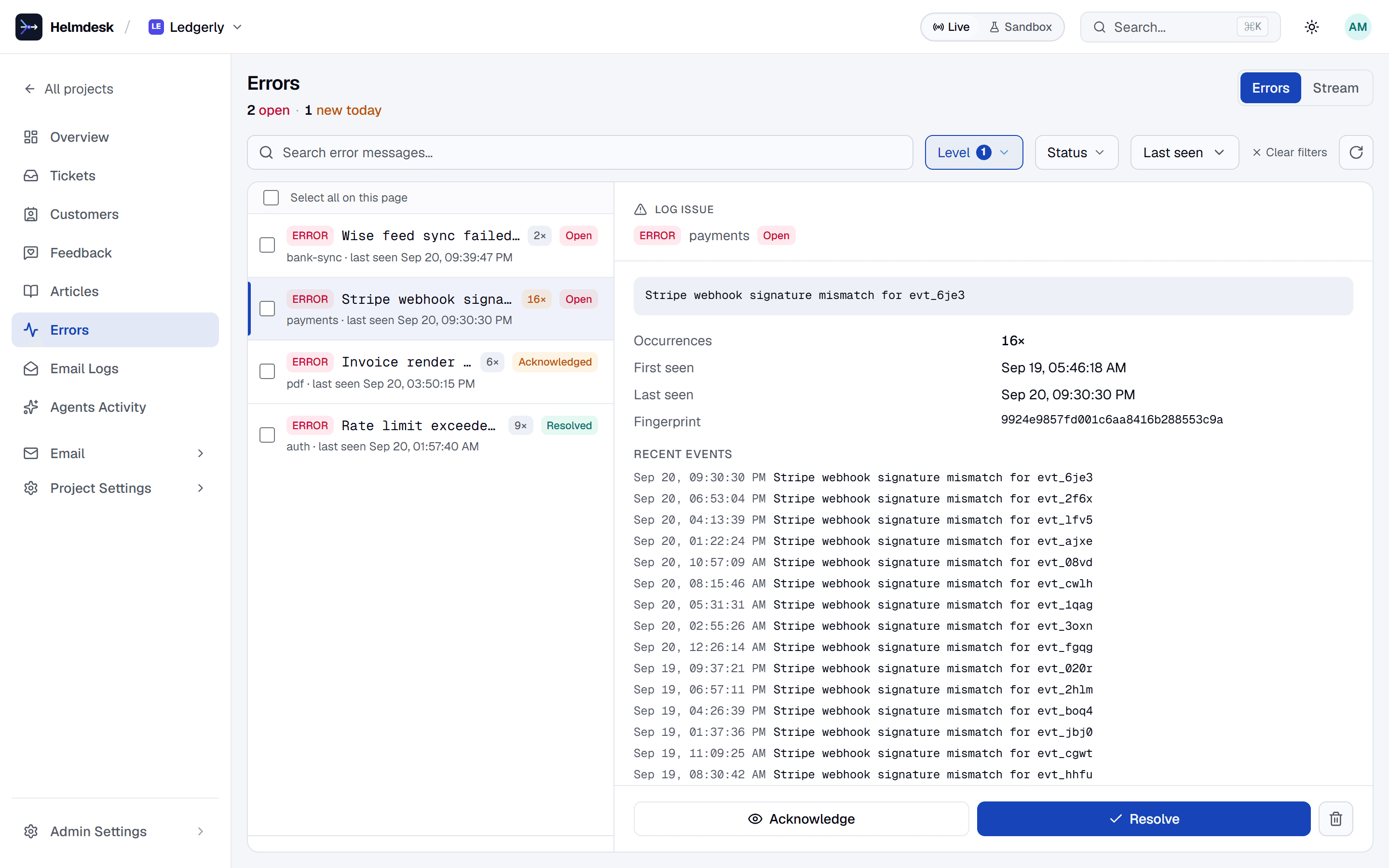
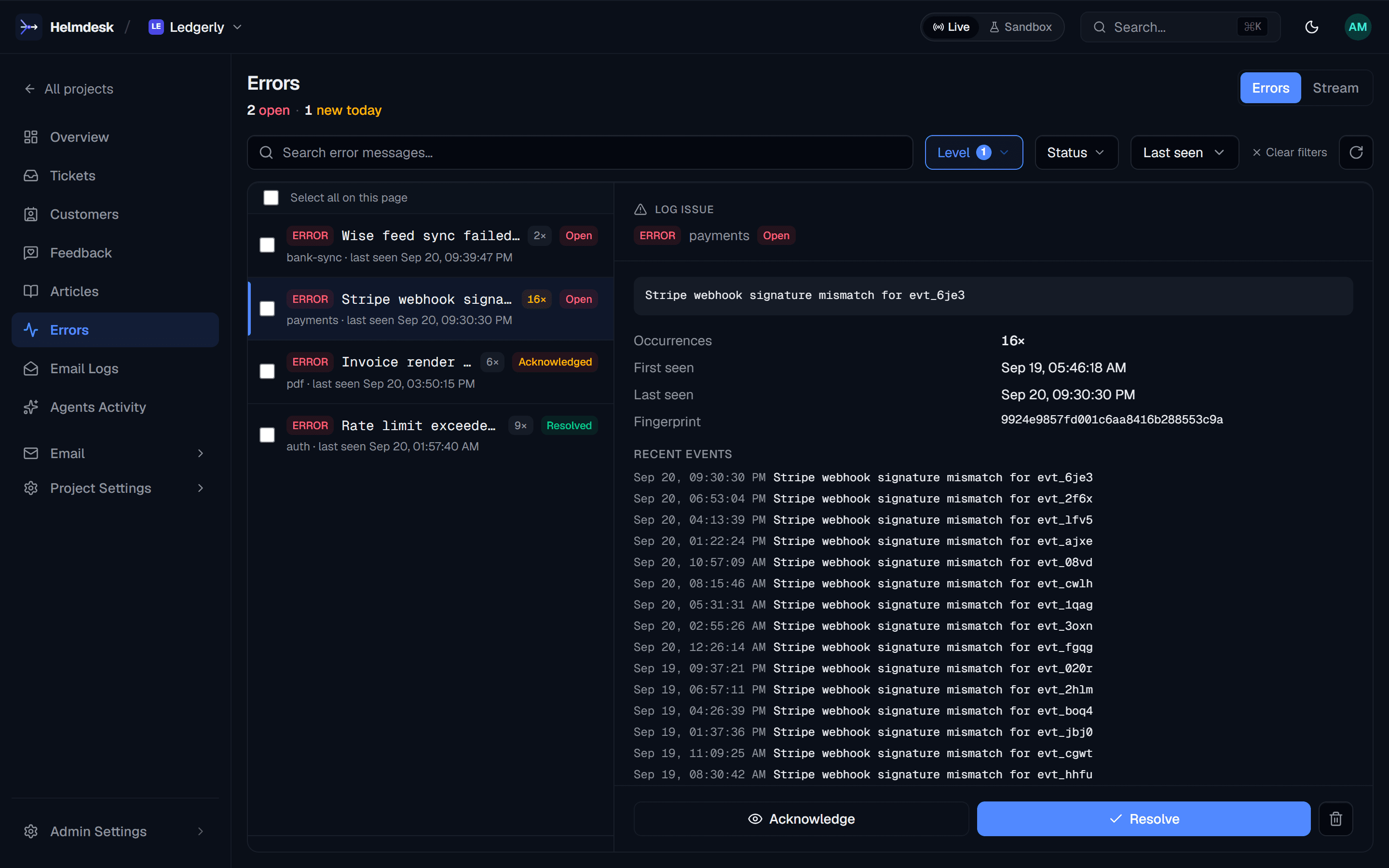
Your app ships errors with one SDK call. They are grouped into issues, and the agent can read them, acknowledge them and line them up against new tickets.
list_log_issues · query_logs · set_log_issue_status
Setup
One command in the agent you already use.
Create an API key in Helmdesk, then add the server. Full guides, including per-project config and Claude Desktop, are in the docs.
Claude Code
Guideclaude mcp add --env HELMDESK_API_KEY=sk_live_… \
--transport stdio helmdesk -- npx -y @helmdesk/mcpCodex
Guidecodex mcp add helmdesk \
--env HELMDESK_API_KEY=sk_live_… -- npx -y @helmdesk/mcpCursor
Guide{
"mcpServers": {
"helmdesk": {
"command": "npx",
"args": ["-y", "@helmdesk/mcp"],
"env": { "HELMDESK_API_KEY": "sk_live_…" }
}
}
}Pricing
Priced by apps and tickets, not by people.
Free for your first app. Starter $39/mo for 3 apps, unlimited seats.
The MCP server, the SDK and the REST API come with every plan. AI agents and drafted replies are on Starter and above.
Annual billing saves 20%. No per-seat fees on paid plans, no per-resolution AI fees.
Through Nov 30: 30% off Starter or Growth for 3 months with code SHIP30 at checkout.
- Free1 app$0
- Starter3 apps$39/mo
- Growth10 apps$149/mo
- Enterprise: more apps and volume, quoted. Talk to us
FAQ
Running support from your coding agent
Which agents and clients does it work with?
Any MCP client. There are setup guides for Claude Code, Codex, Cursor and Claude Desktop. The server is the npm package @helmdesk/mcp, run with npx.
Can the agent email my customers without asking?
Only if you let it. The 10 tools that reach a customer are annotated as destructive and open-world, which is what MCP clients use to ask before running a tool. And a key without emails:send, tickets:write, feedback:write and agents:review cannot reach a customer at all.
Does it work across several apps?
Yes. An all-projects key reaches every app on the account, and each call names its project. If the agent has not been told which app you mean, the server refuses and lists the choices instead of guessing.
Is the MCP server an extra cost?
No. The MCP server, the SDK and the REST API come with every plan, Free included.
One instruction, and your app has support.
Free for your first app. Starter $39/mo for 3 apps, unlimited seats. No card.