Moving Your Support Content Without a Migration Project
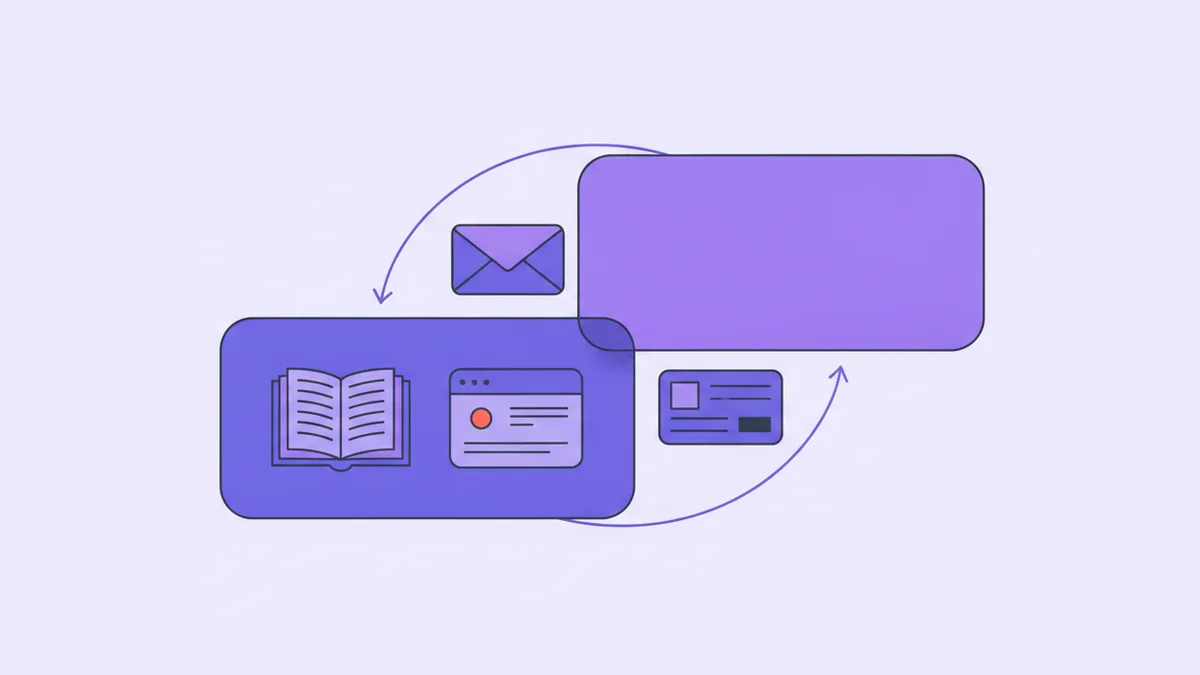
Ask someone why they still pay for a support tool they complain about every month and you get one of two answers. Either we do not have time for a migration, or everything is in there. Both are the same sentence with different emphasis, and both describe a hostage situation: the help articles, the email templates, the saved replies, the customer list with three years of notes on it. Leaving means abandoning them, so nobody leaves.
That framing is worth breaking, because the word doing the damage is "migration." A migration is a schema translation with a cutover date, a rollback plan and a week where nobody knows which system is authoritative. That is what moving a database looks like — not what moving support content looks like.
Support content is a few dozen markdown files, a handful of email bodies, and a customer list you can regenerate from your own database — an afternoon each. One thing genuinely does not move, the threaded ticket history, and the honest conclusion is that you should let it go.
Here is what transfers cleanly, what does not, why the part that does not is fine, and what a week of this actually looks like.
Take the inventory first
Before deciding anything, write down what is in there. It is almost always these six things:
- Help articles. Public knowledge-base content, with categories and images.
- Email templates. Welcome, receipt, password reset, invoice reminder, whatever else your app sends.
- Saved replies. The canned answers your team pastes into tickets.
- The customer list. Names, emails, tags, internal notes.
- Ticket history. Every conversation, threaded, with authorship and timestamps.
- Tool configuration. Macros, views, custom fields, SLA rules, automation logic.
Five of those six are content you wrote. One — the ticket history — is a log of conversations that already happened. That distinction is the whole post, because the things you wrote all move and the log does not.
The three that move cleanly
The tool names below are Helmdesk's, but the shape holds anywhere with a writable API — the argument is not about the destination, it is that the transfer is smaller than you think.
Articles are markdown. Every knowledge base worth leaving exports HTML at minimum, and most export Markdown directly. Run it through a converter, one file per article, and fix the internal links — the only thing that reliably breaks, because they point at the old tool's URL scheme. Get your category ids with list_article_categories, then create_article per file. Articles land as drafts, which is exactly right: the import is not the work, the review is.
And here is the part nobody plans for and everybody enjoys: roughly a third of your articles are wrong. They describe a screen you redesigned, a plan you renamed, a limit you raised. A move is the only occasion on which anyone reads all of them — so read them, delete the dead ones, and arrive with forty good articles instead of ninety mixed ones. A better knowledge base, achieved by deletion.
Templates are Handlebars source. A template is a subject line and a body, and both are text. import_email_template takes the source; get_template_schema tells you which variables the body references; preview_email renders it with real values before anything sends. What does not come across is the layout — header, footer, colours, branding wrapper. Rebuild that once, by hand, and every template inherits it.
While you are in there, rename the variables to match what your app already passes. You have carried user_first_name since 2023 because renaming it meant editing eleven templates in a web form. Now they are files. Change them.
Customers key off your own user ids. The trap is treating the old tool's customer table as the source of truth. It is not — your database is, and it is more current. Export from your own app instead: email, name, your user id, plan, signup date. Then create_customer per row and set_customer_tags for the segmentation:
for (const u of await db.users.findAll()) {
  await hd.customers.create({
    email: u.email,
    name: u.name,
    externalId: u.id,              // your id, not theirs
  })
  await hd.customers.setTags(u.email, [`plan:${u.plan}`, ...(u.churned ? ['churned'] : [])])
}
The detail that matters is the namespaced tag. plan:growth replaces plan:starter without touching the beta-tester tag somebody added by hand, which means this script is not a one-time import — it is a weekly sync you can leave running. A migration you can re-run is not a migration at all.
The saved replies are the fourth item, and they are not a transfer. Every canned answer is an article you never published: paste it in as one, and both the widget and your future replies can cite it.
The part that does not move
Three things stay behind, and you should be clear-eyed about all three.
Threaded history. You can export the JSON. You cannot faithfully rebuild it somewhere else. Recreating a thread through an API makes every message arrive today, authored by whichever key you used, with internal notes flattened and status transitions gone. That is not history — it is a plausible-looking reconstruction of it, which is worse than an empty queue because you will believe it. Import it as an archive you can search, never as tickets.
Attachments. They live behind signed URLs that expire, so moving them means downloading gigabytes of screenshots that only made sense inside the thread they arrived in. Dump them into your own storage if you must, and skip the reattaching.
Tool configuration. Macros, views, SLA rules, custom fields and automation logic are not content — they are configuration for a product you are leaving, and half of them exist to work around that product's defaults.
Now the uncomfortable question: when did you last open a ticket older than ninety days? Not searched — opened, read, used. For most small teams the honest answer is never, and the three reasons people give for keeping history all survive without it. Context on a returning customer comes from the customer record going forward, and that starts accumulating the day you switch. "What do people keep asking" is answered by the last quarter, not by 2024. Compliance is satisfied by a JSON dump in your own object storage, which costs a few dollars a year.
So do that. Export the dump, keep the old tool on its cheapest tier for ninety days, and cancel it when nobody has opened it.
What the week actually looks like
Five short sessions, in this order, because the order does real work:
- Day one: change where new tickets land. Point the support address and the widget at the new system. First, because it turns the old queue from a growing pile into a finite one.
- Day two: articles. Export, convert, import as drafts, publish what is still true, delete the rest.
- Day three: templates. Rebuild the layout, import the bodies, and preview each one with real values rather than trusting the render — rehearse it before anything can reach anybody.
- Day four: customers, from your own database. Write the sync as a script, not a one-off import.
- Day five: drain. Answer what is still open in the old tool. Do not move open tickets — finish them. A ticket open long enough to need migrating needs an answer more than a new home.
None of those days is eight hours. Most are ninety minutes and a coffee.
Who should ignore all this
If you are on a tool with a real API, an export that works, and a team that actually likes using it — stay. Switching costs are real, they land on whoever does the switching, and "slightly lower bill" is not worth a week of anyone's attention. This post is not for you.
It is for the person who has been saying we should move off this for a year and quietly concluded it is impossible. It is not. It is five afternoons and one decision about ticket history — and that decision is easier than it looks, because the thing holding you hostage was never your articles or your templates or your customer list. It was an archive of finished conversations you were never going to read again.
Bring your articles, your templates, and your own user ids
Import Markdown articles and Handlebars templates over the API or MCP, and sync customers straight from your database. Free to start.