Reviewing What Your Automations Did Overnight
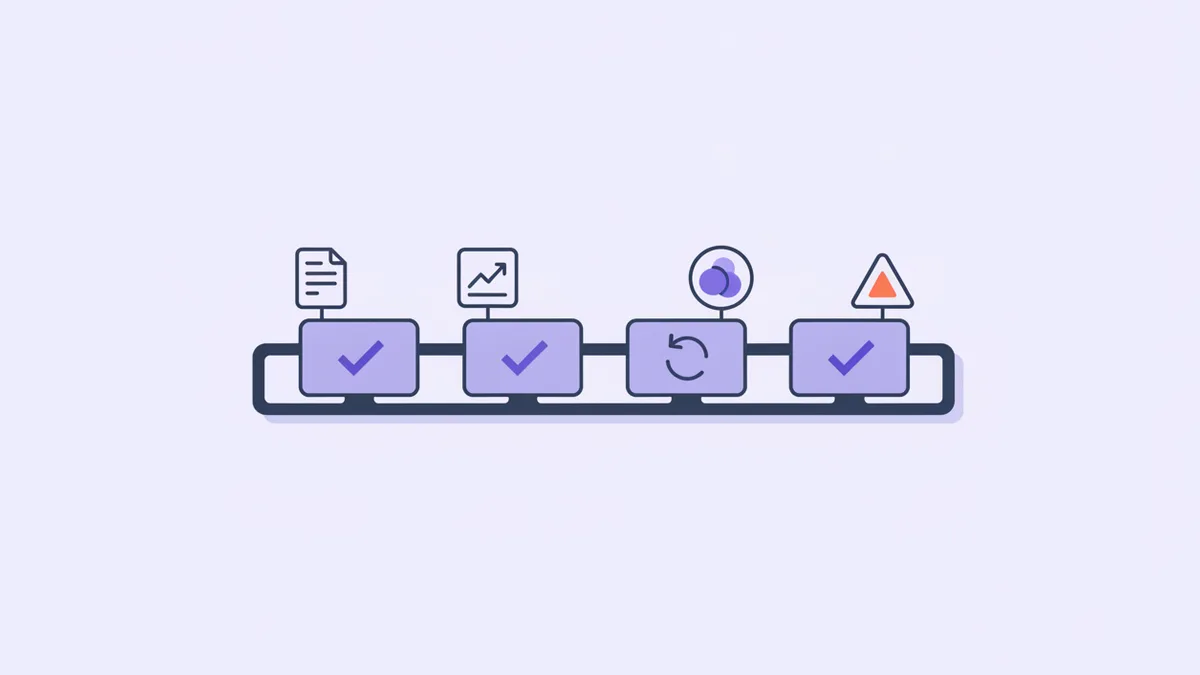
It is 8:15 AM and there are eleven items waiting for you. Six drafted replies. Two tickets that were closed automatically because the customer went quiet. One drafted help article. One error alert. One weekly summary you will not read.
Here is the question that decides whether any of this was worth building: how long should those eleven items take? If the answer is forty minutes, the automations have saved you nothing — they converted the job of writing six replies into the job of auditing six replies, which is the same work with an extra step and less ownership. If the answer is six minutes, they are the best thing in your stack.
The difference is not the quality of the drafts — it is almost entirely about what the queue puts in front of you when you open it.
The abstract case for agents that draft and humans who approve has been made already, here, and it is a good pattern. This post is the operational half — the part that decides whether the pattern survives contact with a Tuesday morning. Because a review step that is expensive gets skipped, and a review step that gets skipped is worse than no review step at all, since you now believe someone checked.
A review queue is an economic claim
Every review queue makes the same implicit promise: checking this is cheaper than doing it. Most of them do not keep it, and the reason is depressingly consistent — they show you summaries.
"Drafted a reply to #42 — Login link expired." What are you supposed to do with that? You cannot approve it — you have not read the reply. You cannot reject it, for the same reason. So you click through to see the reply, click again to see the ticket it answers, wonder whether the article it cites still says what it used to, and click a third time. Three navigations and a page load per item, times eleven — and you are back at forty minutes.
A summary is a notification, and notifications are the right format for things you might want to know. They are the wrong format for things you have to decide. A decision needs the evidence in the same frame as the button — otherwise the cost of deciding is dominated by the cost of gathering, and every gathering step is an opportunity to give up and click approve.
The test is straightforward, and worth applying to any review queue in any tool: can you make a correct decision without leaving the row? If not, the queue is a to-do list wearing a control panel's clothing.
Review with the evidence attached
For a drafted support reply, the evidence is not exotic. It is three things, and all three are cheap to fetch:
- The reply itself, in full. Not a truncated preview — the sentence that will embarrass you is never in the first eighty characters. It is the confident one in the middle that invents a setting your product does not have.
- The thread it answers, including the customer's own words. Half of all bad drafts are not factually wrong — they answer a question adjacent to the one that was asked, and you can only see that with the original message beside the answer.
- The sources it drew on. A grounded reply cites knowledge-base articles, and seeing which ones turns your review from "does this sound right?" into "did it read the right page?" — the second question is answerable in two seconds by someone who knows their own docs.
That third item is the one people leave out, and it is the highest-leverage of the three. A reply about magic links citing your magic-link article is almost certainly fine. A reply about magic links citing your billing FAQ is wrong before you read a word of it.
When you review from an editor rather than the dashboard, this gets easier rather than harder, because your coding agent can assemble the evidence in one pass: list_agent_activity returns the pending items with their drafted text and cited sources; get_ticket pulls each thread in full; get_article fetches a cited article when the title alone does not settle it. One request, eleven items, everything laid out as text you can scan without a single page load. Show me what the automations did overnight, with each drafted reply next to the customer message it answers is a sentence that does the assembling for you.
And keep the reading separate from the acting. Reading the queue is free and reversible. Acting on it is neither, for reasons the next section makes uncomfortably specific.
What approving actually does
Six automations feed one queue in Helmdesk, and "approve" means something different for each. This is the part worth memorising, because the word on the button is the same in all six cases and the consequence is not.
| Proposes or acts | What approving does | |
|---|---|---|
| Auto-Responder | Proposes | Posts the drafted reply and emails the customer |
| KB Gap Analysis | Proposes | Publishes the drafted article to your help centre |
| Auto-Close | Acts, then logs | Keeps the ticket closed |
| Log Watch | Alerts | Acknowledges the log issue so it stops re-alerting |
| Email Health | Reports | Marks the finding reviewed |
| Weekly Digest | Reports | Nothing — it is history |
The first row is the one that surprises people, so it is worth saying flatly: approving a drafted reply is what sends it. The draft sat there harmlessly all night; your click is the outbound action. approve_agent_item is on the short list of tools that reach a real customer for exactly this reason, and it is why the review scope is separate from the ticket-writing scope rather than bundled with it. Granting an agent the ability to approve should be a decision, not a side effect.
revert_agent_item is the mirror image and it has one property worth trusting: nothing is emailed on a revert. Reverting a drafted reply discards it — or, if it was already posted to the thread, removes the message. Reverting a drafted article deletes the draft. Reverting is always the quiet option, which means when you are unsure, it is the correct one.
Why Auto-Close acts instead of proposing
One automation breaks the pattern, deliberately. Auto-Close does not propose — it closes tickets that have gone quiet past your threshold, then files what it did for review afterwards.
That looks like an inconsistency until you consider the alternative. A propose-only Auto-Close would produce a daily list of tickets you should probably close — the exact kind of low-stakes housekeeping nobody ever gets to. Within a month you would have four hundred proposed closures and an inbox still full of ten-day-old threads waiting on customers who are never replying. Technically correct, practically useless.
So it acts. And because it acts, revert has to be real: reverting a closed-ticket item reopens the ticket to whatever status it held before — not to a generic "open", but back to pending if that is where it was. That is what makes acting acceptable. An automation is allowed to act on its own precisely to the degree that undoing it costs one click and leaves no trace outside your system.
Which is the general rule, and it is a better rule than "always propose": act freely where the undo is complete, propose where it is not. Closing a ticket is fully reversible. Sending an email is not reversible at all. That distinction, not the automation's confidence level, is what decides which side of the line each one sits on.
The bottom line
Eleven items should take six minutes, and they will — but only if the queue hands you the draft, the thread, and the sources together, and only if you know that one of those buttons is a send button.
Judge a review queue the way you would judge any abstraction: by whether it is cheaper than the thing it replaced. A queue full of summaries is not a time saving. It is a second inbox that you also have to read.
See what your automations did, with the receipts
Six automations, one review queue — readable from the dashboard or straight from your editor over MCP, with the drafted reply and its sources attached.